
How to edit a podcast without losing people by minute ten
{{ dek }}

- {{ point }}
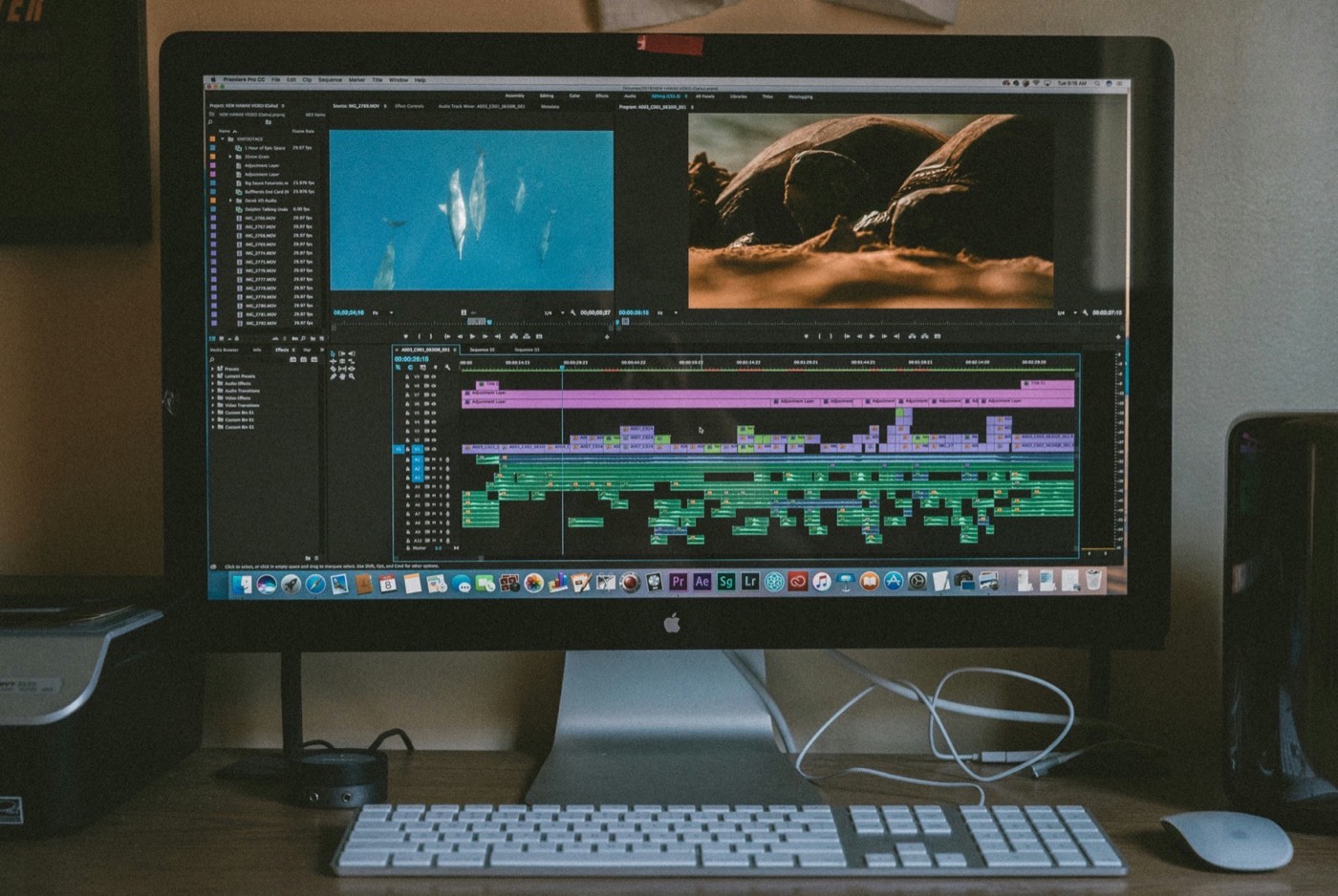
Editing a podcast means cutting dead air, correcting pacing, mixing audio, and structuring a conversation so it holds an audience from start to finish. Most guides to how to edit a podcast stop at the technical steps. Pacing and structure decide whether people actually watch, and that part rarely makes it into a tutorial.
The podcast editing workflow, step by step
Every episode we edit runs through the same order of work. Making the big structural calls first means no time goes into polishing audio that ends up cut.
- 01Back up and syncOrganise the files and sync every camera and mic track.
- 02Rough cutRemove false starts, long pauses and anything off the record.
- 03Find the hookPick the strongest moment and plan the open around it.
- 04RestructureReorder for momentum so the episode builds.
- 05Tighten the pacingCut repeats, slack run-ups and tangents that go nowhere.
- 06Clean the audioNoise, levels and loudness so every voice sits evenly.
- 07Finish and exportVideo pass, captions and chapters, then export for each platform.
The technical basics of editing podcast audio
Start here. These steps matter, but any editor, human or software, can execute them.
- Cut silence, filler words, and false starts, without cutting so aggressively that the conversation stops sounding human.
- Level and mix audio so volume stays consistent between speakers, which matters most on remote recordings where mic quality varies.
- Remove background noise and correct levels, using noise reduction sparingly so voices don't start sounding processed.
- Add an intro, outro, and consistent branding elements that listeners learn to recognise episode to episode.
Free tools handle all four competently, and our guide to the best podcast editing software compares the options. Descript, Auphonic, and a decent built-in editor will get a technically clean file. A technically clean episode with nothing else going for it will still lose viewers if the structure doesn't earn attention early, which is the part most editing guides skip entirely. A clean recording makes this whole stage faster; see how to record a podcast for the setup habits that save editing time later.
Where the real work happens
Ask where attention drops. Ask which fifteen minutes of a ninety-minute conversation deserve to lead. Ask whether the pacing builds toward something or just wanders from topic to topic. These are structural questions, and they separate a clean edit from one built to hold an audience.
A podcast can run with zero technical flaws and still lose half its viewers by minute ten, if the first ten minutes don't give anyone a reason to stay. You can hear it in the numbers: retention graphs on YouTube consistently show the steepest drop-offs in the opening minutes, long before the audio quality has any chance to matter.
If a show already has episodes live and growth has stalled despite a clean technical edit, the retention graph itself usually points to the cause. See why podcasts plateau for how to read that graph and tell a structural problem from a discovery one.
- Trim silence and filler words
- Level and mix the voices
- Reduce background noise
- Export at the right loudness
- Choose which moment leads
- Reorder for momentum
- Cut slack, not just length
- Plan visual pacing for video
A structure that actually holds attention
Open with the hook, not the introduction
Find the most compelling moment in the recording, even if it happened forty minutes in, and move it to the first ninety seconds. Viewers decide whether to stay almost immediately, often before the guest has said anything specific to the topic. A strong hook names the stakes directly: what the guest got wrong, what changed after one decision, or the number that makes the rest of the conversation worth sitting through. Give people a reason before you give them a preamble.
Reorder for momentum, not chronology
Conversations rarely build in a straight line. Editing can. If the guest's best story comes out in a tangent halfway through, cut the episode around that story instead of around the order it happened. Momentum comes from what the listener learns next, not from what was said next in the room. Treat the raw recording as material to build from, not a transcript to trim.
Cut for pacing, not just for length
A tight 45-minute episode usually beats a loose 70-minute one. Length isn't the problem. Slack is: a point made twice, a run-up to a story that never quite lands, a question answered in slightly different words a minute later. Cut anything that doesn't move the conversation somewhere new, even if it's well said.
Plan visual pacing for video episodes
A static wide shot held for five minutes straight will lose viewers even when the conversation is genuinely good. Cut in reaction shots, change angles, break up the frame. This is the same pattern that shows up in YouTube's own retention data, and it's a core part of what YouTube optimisation for podcasts involves once an episode is already well structured: keeping the visual pacing matched to the audio pacing so neither one is doing all the work alone. If you’re setting up for video, see how to start a video podcast.
Mistakes that quietly kill retention
Most podcasts that plateau aren't badly edited. They're edited around the wrong priorities. A few patterns show up again and again:
- Editing in recording order. The best moment in a ninety-minute conversation is rarely also the first thing said. Editing chronologically defaults to the guest's warm-up instead of the guest's best material.
- Treating the cold open as optional. A warm welcome and a round of pleasantries before anything happens spends a show's most valuable ten seconds, the ones where a new viewer decides whether to stay.
- Inconsistent pacing across episodes. One tightly cut episode followed by one barely touched teaches an audience not to trust the next upload. Consistency is what turns a viewer into a subscriber.
- Locking the edit before the thumbnail and title exist. The strongest hook identified during editing should be the same moment that anchors the title and thumbnail, not an afterthought added once the file is already final.
- Assuming a longer episode signals more value. Runtime doesn't hold attention. Pacing does. A well-structured 40 minutes will consistently outperform a rambling 90.
Most of these aren't fixed with better equipment. They're fixed by changing what gets prioritised in the edit itself.
When DIY editing hits its ceiling
Free and low-cost tools solve the technical problems. They don't make the call about which fifteen minutes deserve to lead, or when a tangent is actually the best part of the episode. That judgment comes from watching a lot of episodes succeed and fail, and noticing the pattern. It's the same judgment our podcast editing services apply to every episode we touch, and it's the reason two technically identical edits can perform completely differently.
If a show is losing viewers early despite sounding clean, the fix usually isn't a better microphone. It's a structural rebuild of the first few minutes, applied consistently episode after episode (the same consistency full podcast management is built to guarantee), until the audience learns what to expect and shows up for it.
Professional editing is priced on episode length, format and how much structural work each episode needs. See what shapes the cost on our podcast production pricing page.
FAQ
Is it possible to edit a podcast for free?
Yes, for basic cleanup. Free tools trim silence and level audio well. They don't decide which fifteen minutes of a conversation should lead the episode, which is where most retention problems actually start.
How long should a podcast episode be after editing?
Length matters less than pacing. A well-structured 45-minute episode will usually outperform a poorly paced 90-minute one. Cut for momentum, not for a target runtime.
Does editing style differ between audio-only and video podcasts?
Yes. Video adds a pacing layer audio doesn't have. Static shots lose viewers even when the audio holds up, so cutaways and angle changes matter as much as the audio edit itself.
How much does it cost to have a podcast professionally edited?
It depends on episode length, whether it’s audio or video, and how much structural work each episode needs. Basic clean-up costs far less than a retention edit that restructures the conversation.
How do you edit podcast audio?
Start with a rough cut to remove false starts and long pauses, then reduce background noise, level each voice so they sit at the same volume, and finish with a loudness pass so the episode sounds consistent on every app. Descript, Adobe Audition and Auphonic all handle these steps well.
What software do most podcast editors use?
Descript and Adobe Audition or Premiere Pro cover most professional workflows, often alongside Auphonic for automated levelling. The software matters less than the decisions made with it. Two editors using identical tools on the same raw recording can produce very different results depending on what they choose to cut and reorder. See podcast editing software: what actually matters for the fuller comparison.
How long does it take to edit a podcast episode?
A straightforward audio-only episode usually takes two to four hours of editing per hour of raw recording. A video episode with multiple cameras and structural reordering typically takes six to ten hours per hour of footage, since visual pacing and clip selection add real time on top of the audio edit.